Before panels can be produced they need to be scheduled for production.
There are two ways to schedule items for production.
NOTE: Order must be saved before items can scheduled for production.
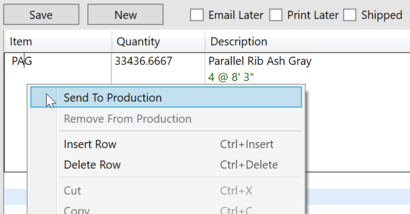
1. Send to production by right clicking the item in the order and selecting send to production.
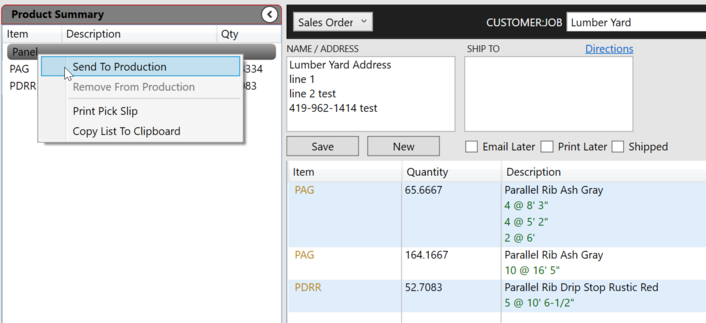
2. Multiple items can be scheduled for production at one using the Product Summary pane.
Right click on the panels category heading to schedule all panels for production.
Notice that separate line with the same item are combined in the product summary. Clicking in an item in the summary and scheduling it for production will create a single production run with the each line listed as a separate bundle.
See Production for more information about separating panel orders into separate bundles.