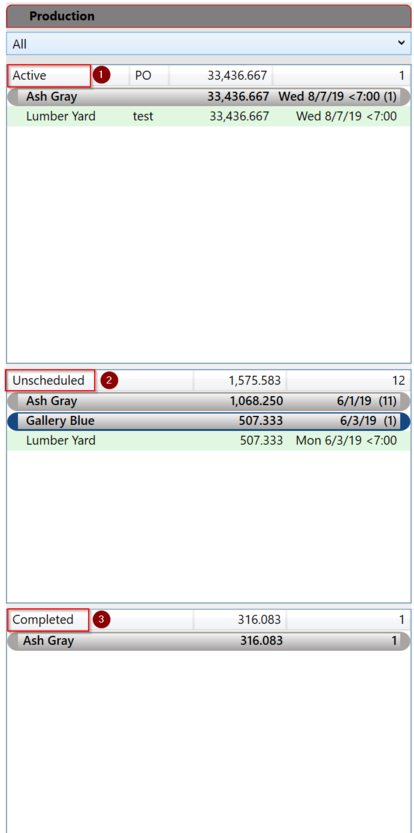
The production list is divided into three sections. These sections can be resize to make them smaller or larger.
The combo box at the top allows the lists to be filtered by panel type.
1. Active
The active list shows orders that are actively scheduled for production. All orders are grouped by color. Color folders can be expanded or collapsed by clicking on them. Clicking on the column headers will expand or collapse all the folders in the list.
The active list can be prioritized by dragging an order to a new position. Color folders can also be arranged by dragging. The ship date is displayed to assist in prioritizing the list.
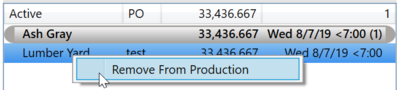
Orders can be removed from the active list by right clicking and choosing 'Remove from Production'. Items must be scheduled for production in the orders tab.
2. Unscheduled
The Unscheduled list show all panels on open orders that have not yet been scheduled for production. Items must be scheduled for production in the orders tab.
3. Completed
The completed list shows orders that have been completed recently. The amount of history shown can be set in the Preferences. The default is 14 days.