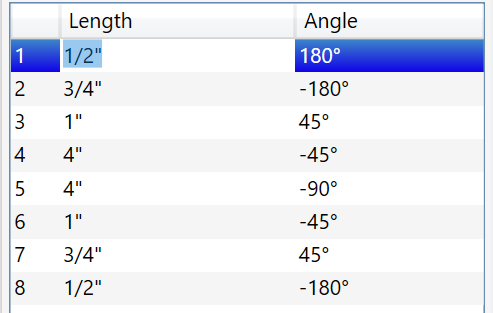
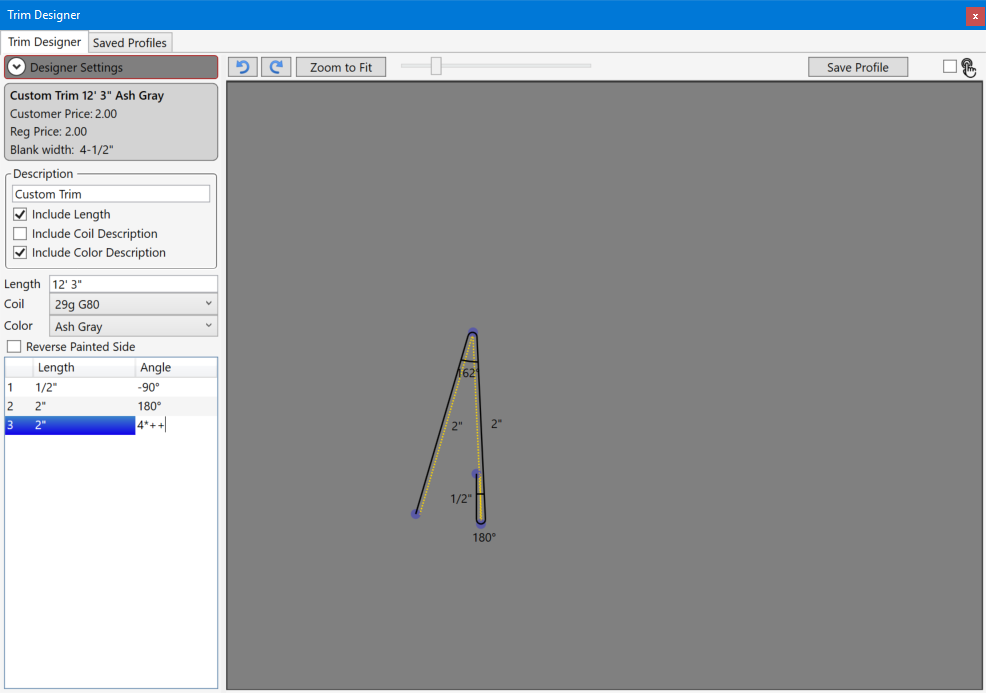
The segment list shows all the values that make up the profile of the trim.
The profile can be edited be changing the values directly in the list. Holding the mouse over a label in the designer automatically selects the corresponding value in the list, making it very easy to edit the relevant values.
Conversion from pitch to angle
Sometimes is may be necessary to convert from pitch for trims such as drip edge or flashing.
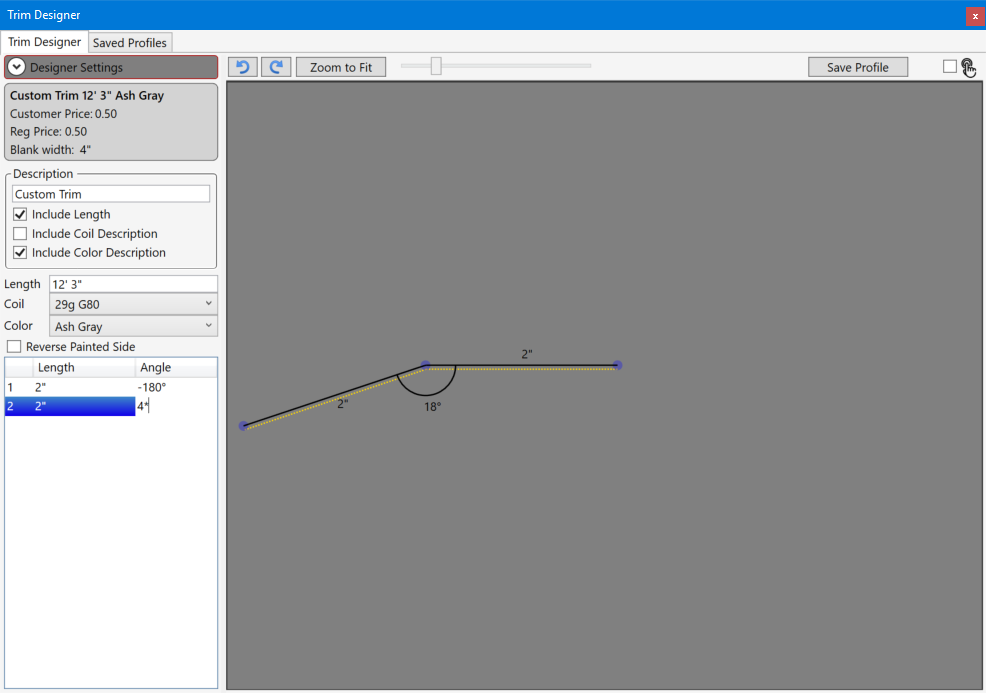
The pitch can be entered directly in the angle field by adding a p or an * character after the pitch. The pitch can be prefixed with a minus sign if the bend should be clockwise.
The pitch is converted to degrees. So entering 4*, results in 18 degrees.
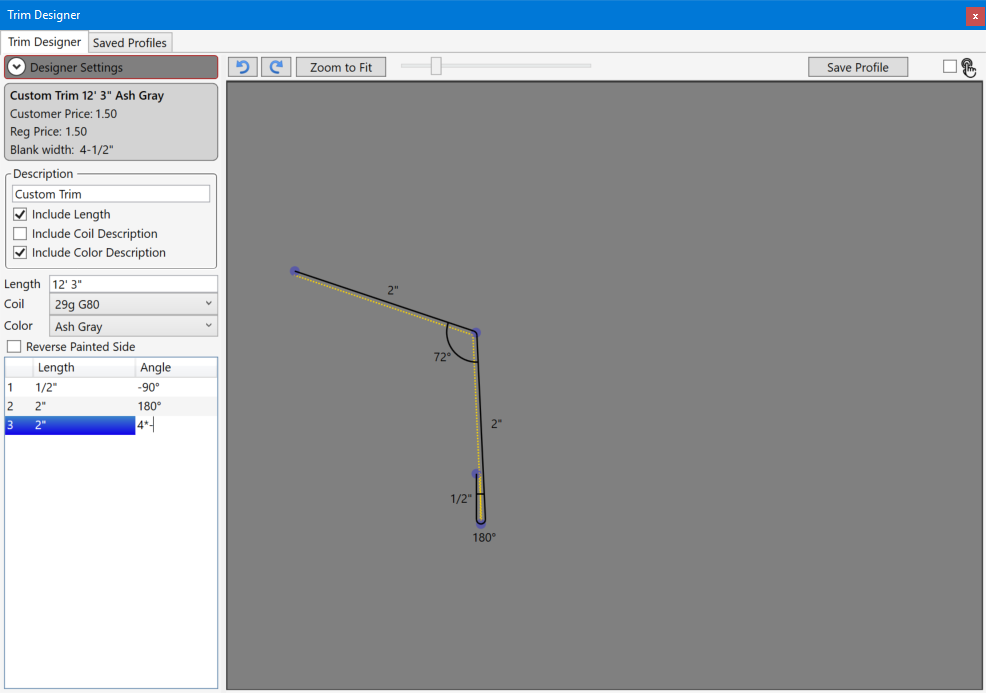
To subtract the pitch angle from 90 degrees simply add a minus after the pitch. 4*- = 72 degrees
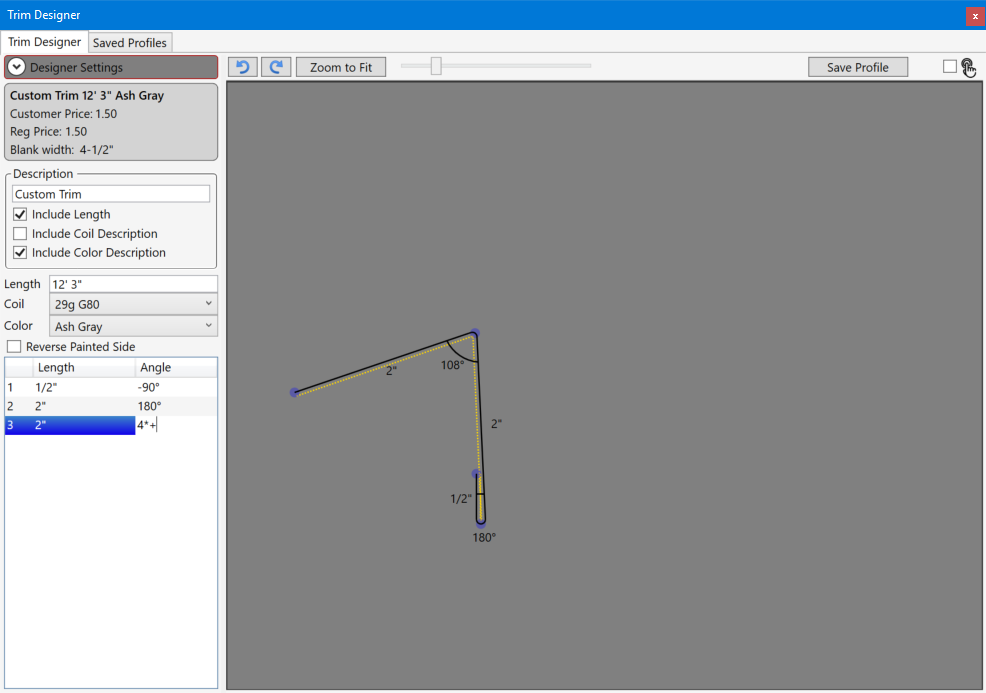
To add 90 degrees to the pitch angle add a plus after it. 4*+ = (90 + 18) = 108
To subtract the pitch angle from 180 degrees add two plusses after the pitch. 4*++ = (180 - 18) = 168